It runs real software
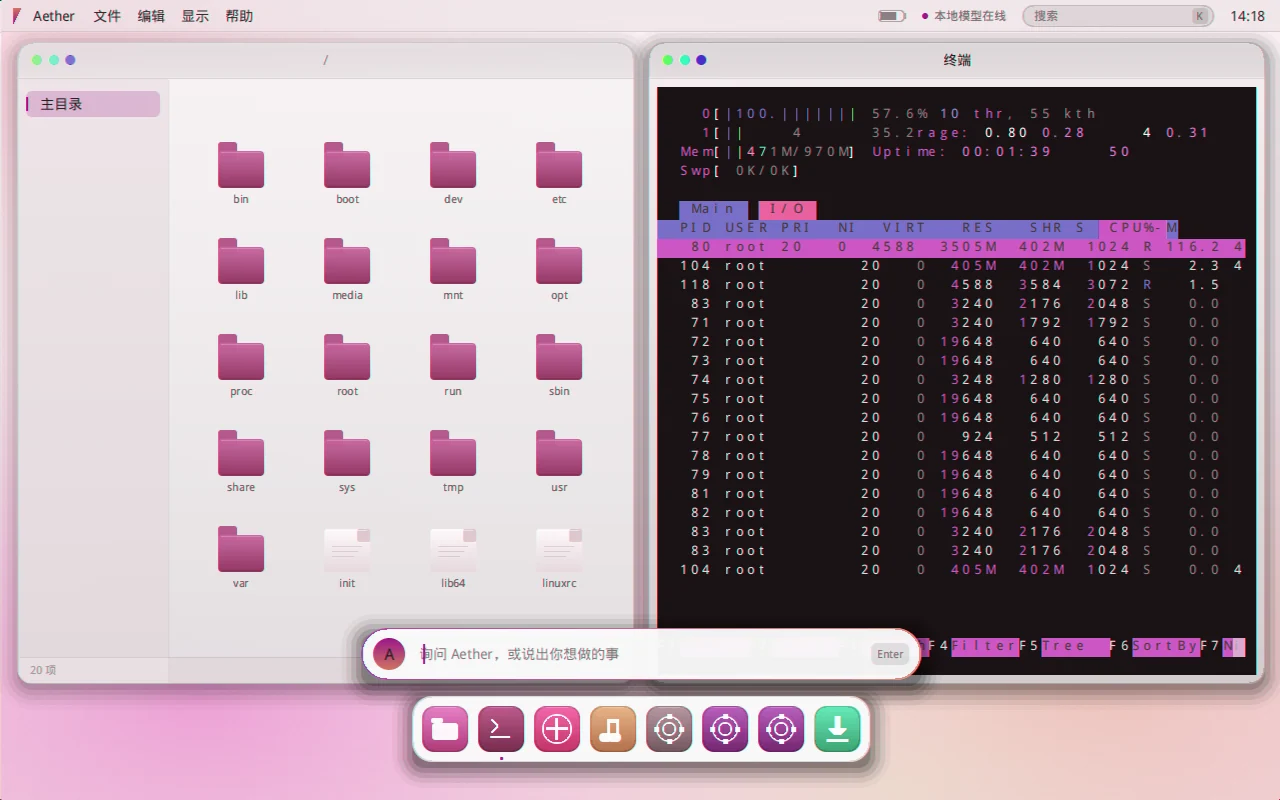
Unedited capture from a real machine (QEMU, frame-by-frame): one command in the terminal pulls an
app package from the host, aetherd installs htop, and it runs on the self-written desktop.
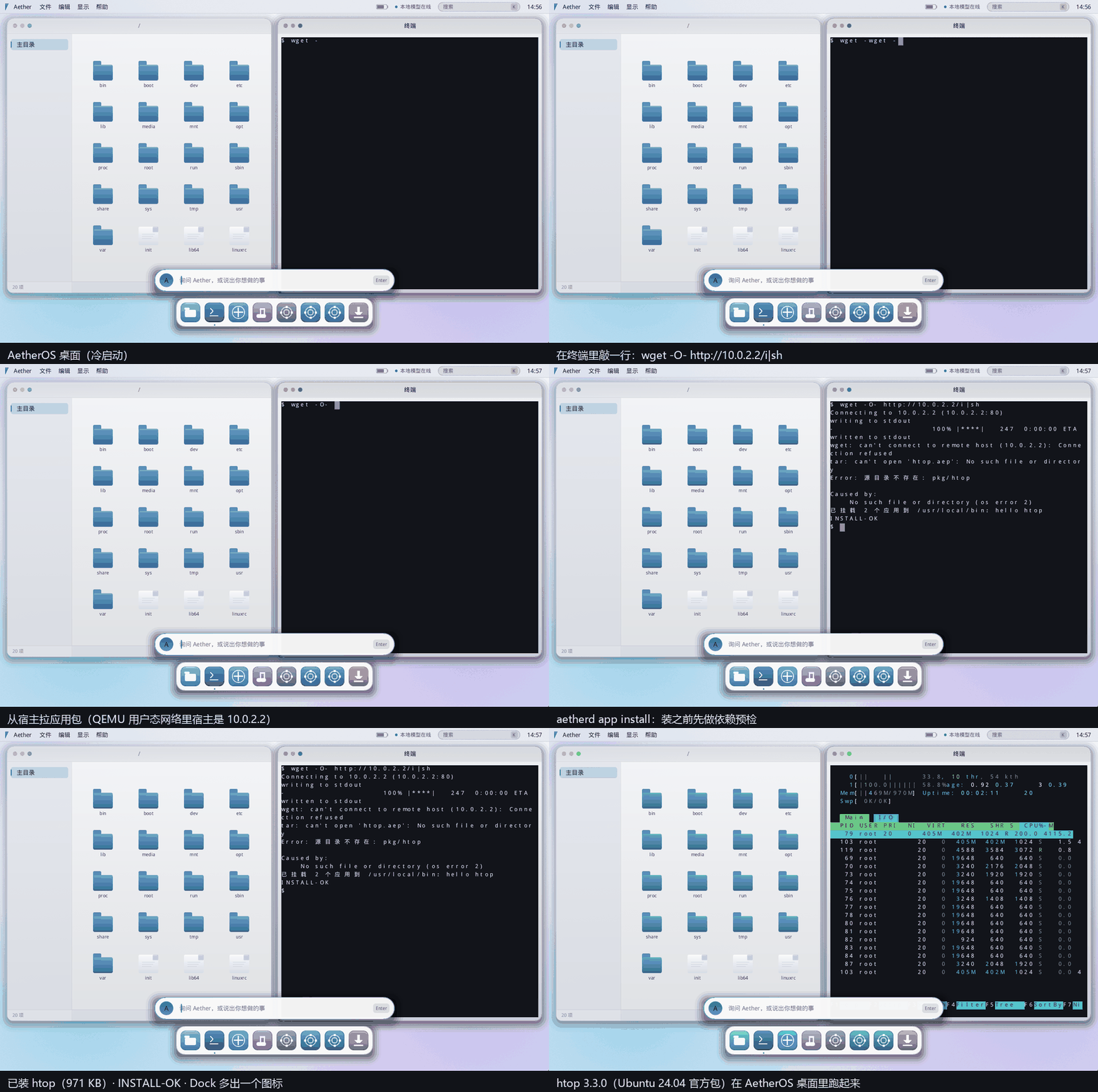
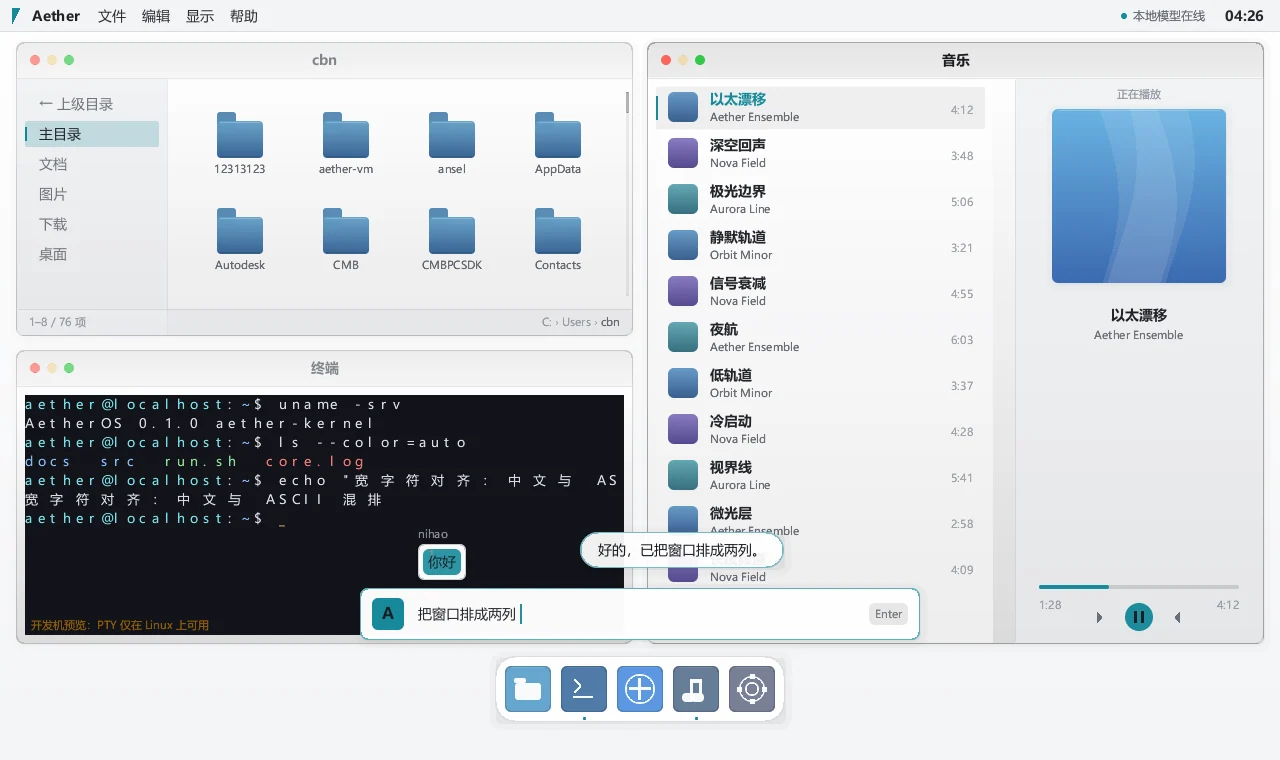
The Linux kernel, plus a Rust userspace built from zero: PID 1, a window compositor, a terminal emulator, a Chinese IME and an AI hub with per-tool permission gating. The bootable ISO is only 38.5 MB — and it runs real Linux software.
Unedited capture from a real machine (QEMU, frame-by-frame): one command in the terminal pulls an
app package from the host, aetherd installs htop, and it runs on the self-written desktop.
The kernel is not rewritten — Android and ChromeOS use the Linux kernel too, and rewriting it buys nothing. All the effort goes above it.
From PID 1 to the compositor, terminal (own PTY + VT parser), IME and AI hub. The compositor writes straight to the framebuffer, with tiling, shadows, rounded corners, dirty-row upload and adaptive frame rate.
Static binaries and common dynamic dependencies work; the image ships ncurses + terminfo, zlib, openssl, libffi and expat. The package format and installer are custom too.
Every tool call passes a gate; L2+ actions raise a confirmation dialog and are audited. The architecture is client → your own gateway → any model, so no upstream API keys live on the machine.
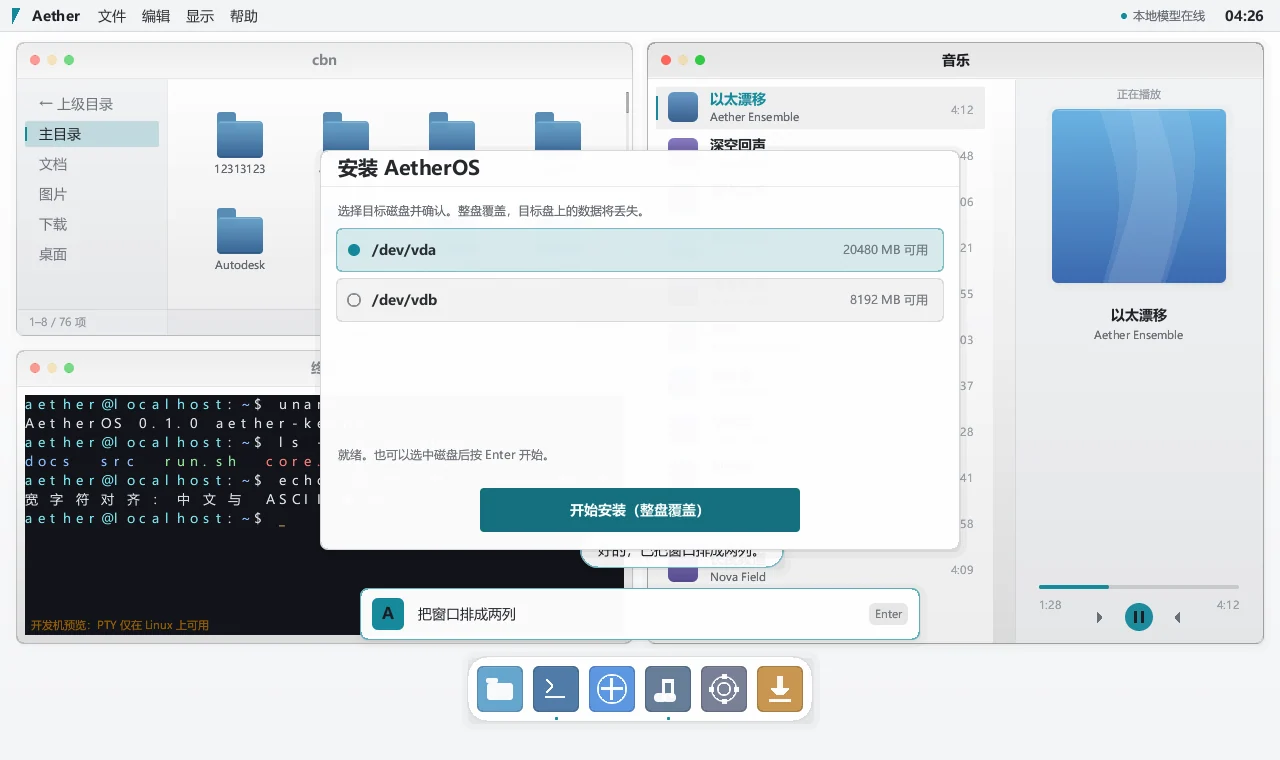
Small enough to boot with one command. Install it to a virtual disk and it boots standalone. Zero compiler warnings on both targets, 17 UI screenshots regression-checked pixel by pixel.
Light theme by default (pure white, a single accent colour); dark theme is one click away.
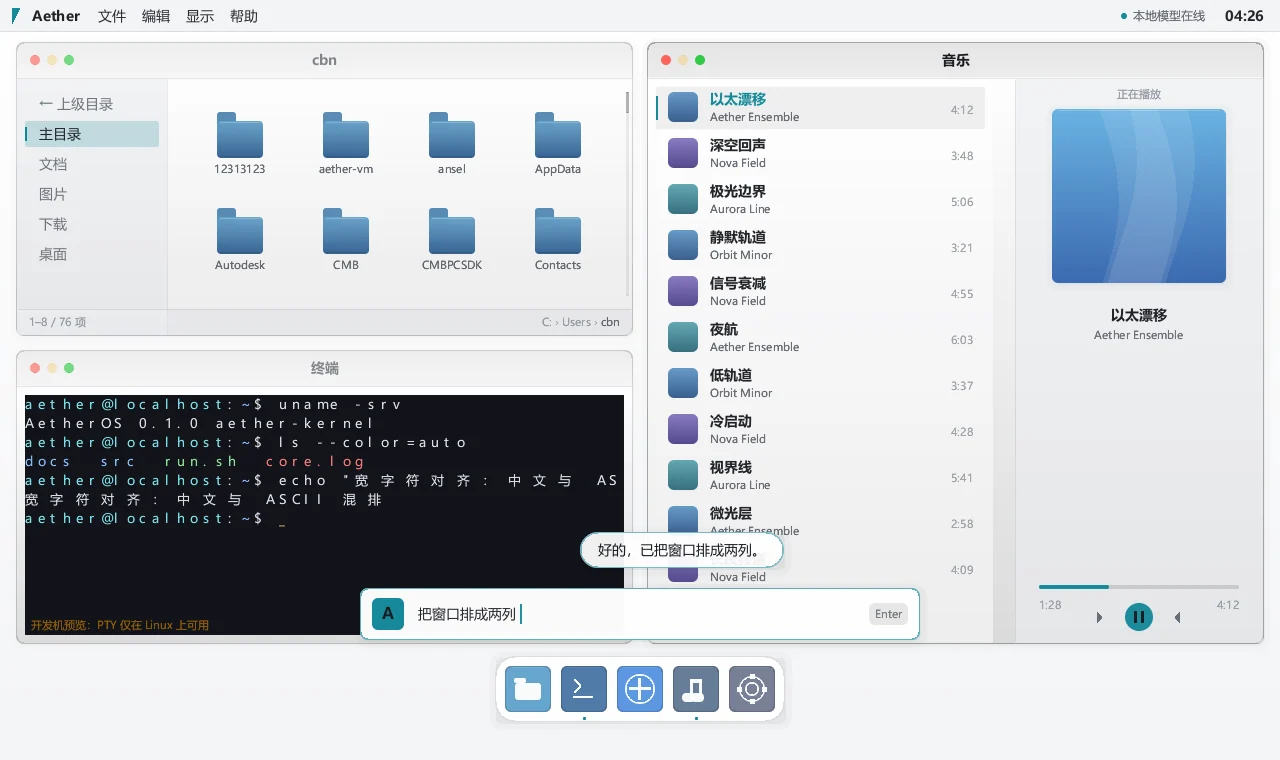
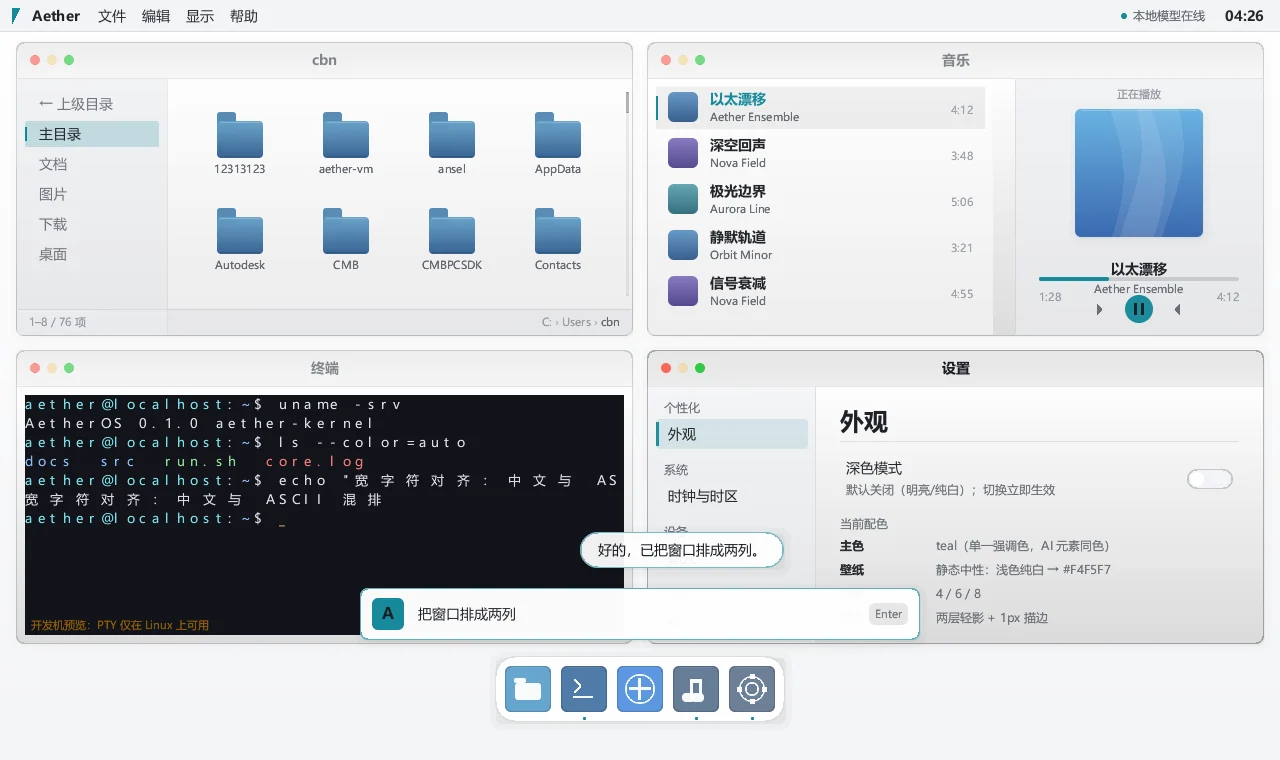
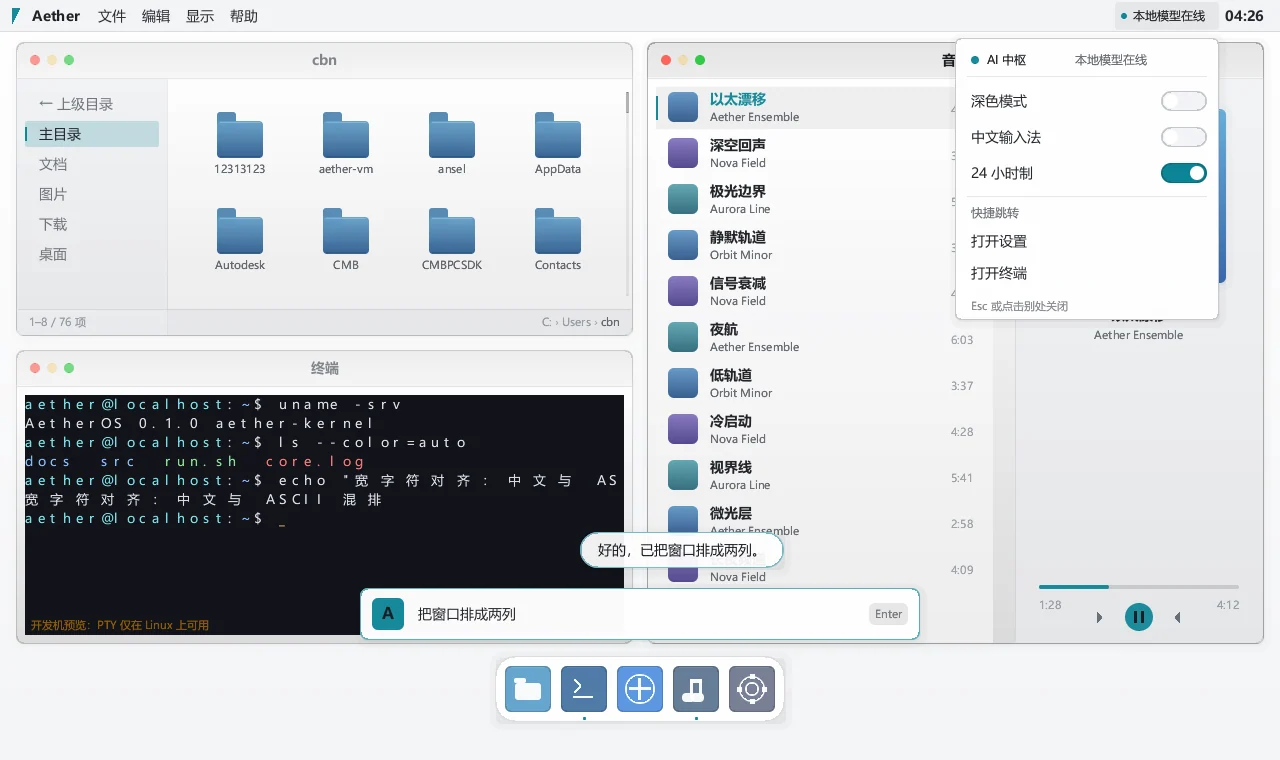
All you need is a hypervisor. Full steps (VirtualBox, VMware, checksums) are on the download page.
qemu-system-x86_64 -m 1024 -cdrom aetheros-v0.1.0-amd64.iso -boot d38.5 MB, with a published SHA256.
QEMU as above; VirtualBox / VMware steps on the download page.
Use the installer on the dock, then boot from the disk without the ISO.
Rewriting the kernel buys nothing — Android and ChromeOS use it too. The product difference lives above it, and above it everything is written from scratch. More in the FAQ.
It is an early v0.1.0 release: great for experimenting and development, not recommended for important data yet.
wget -O- <package-url> | sh — the custom package format plus aetherd.
Static binaries and common dynamic dependencies work.
Nowhere by default: the system talks to your own gateway, which talks to the model provider. No upstream API keys are stored, and every tool call passes a permission gate.